
How to Choose Asset Management Software with Barcode Scanning: A Buying Guide for Solar Operations
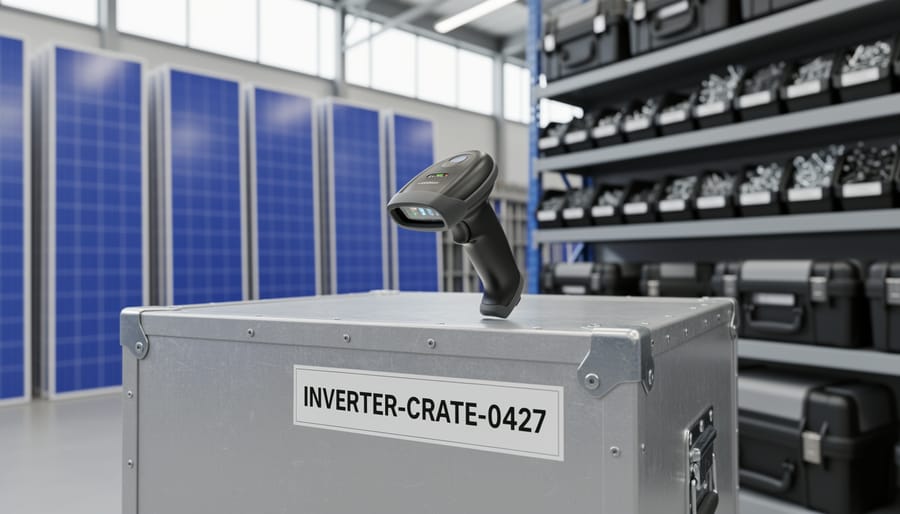
Asset management software with barcode scanning capability enables solar contractors and operations teams to track equipment, tools, and materials across job sites, warehouses, and service vehicles in real time, reducing loss rates by up to 40% and cutting inventory reconciliation time from hours to minutes. For solar operations managing dozens of panel models, inverter brands, mounting hardware, and specialty tools across multiple active projects, the right platform transforms chaotic spreadsheets and manual counts into an automated tracking system that knows what you have, where it is, and when it needs replenishment.
The solar industry presents unique asset management challenges. Crews move between residential rooftops, commercial installations, and utility-scale sites daily. Equipment must withstand field conditions while maintaining traceability. A single project may require tracking hundreds of panels, each with its own serial number for warranty purposes, alongside shared tools that migrate between trucks. When a critical inverter goes missing or panel counts don’t match delivery receipts, the financial impact compounds quickly.
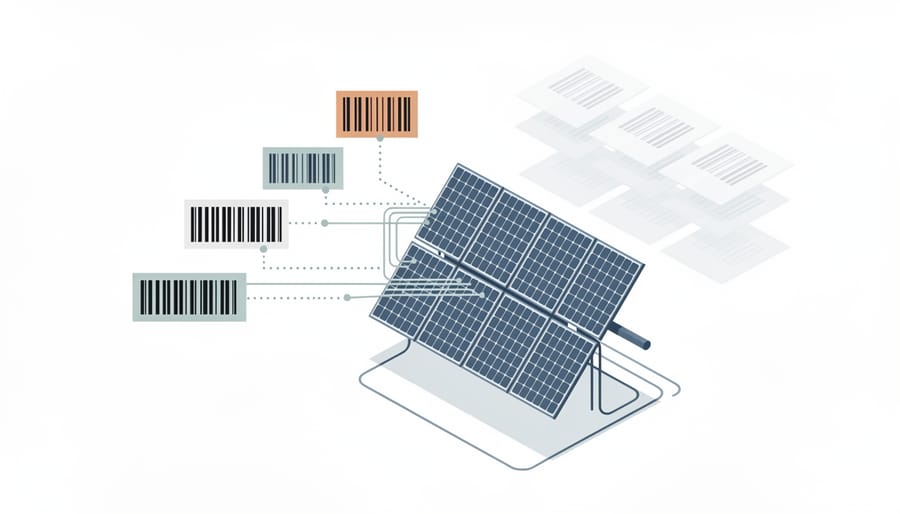
Barcode-enabled asset management software addresses these pain points by creating a digital chain of custody. Scan items when they arrive at your warehouse, again when loaded onto crew vehicles, and once more upon installation or return. The software maintains location history, assigns responsibility, triggers reorder points, and generates audit trails for warranty claims or project accounting. Modern platforms integrate with your existing ERP or project management systems, support offline scanning in areas without cellular coverage, and scale from single-crew operations to regional contractors managing distributed inventories.
Selecting the right solution requires understanding the software types available, evaluating features against your operational workflow, and avoiding common implementation mistakes that undermine adoption. This guide walks you through each decision point.
Key Takeaway: Barcode scanning eliminates manual data entry errors, cuts inventory audit time from days to hours, and provides instant visibility into which assets are at which sites, transforming chaotic equipment tracking into a reliable operational system.
Why Barcode Scanning Matters for Solar Asset Management

Solar contractors juggle hundreds or thousands of individual assets, panels, inverters, mounting hardware, electrical components, spread across warehouses, vehicles, staging areas, and active job sites. Traditional tracking methods relying on spreadsheets or handwritten logs collapse under this complexity. When a crew needs specific equipment at a remote installation location, hours can be lost searching warehouses or making unnecessary purchases because no one knows exactly what’s available or where it’s stored.
Manual inventory processes create predictable problems that directly impact project timelines and margins. Technicians recording serial numbers by hand introduce transcription errors that corrupt warranty records and compliance documentation. Quarterly inventory counts requiring staff to physically walk warehouses with clipboards consume days of labor while still producing inaccurate results. Equipment goes missing between sites with no clear chain of custody, turning into unplanned write-offs that erode profitability.
Barcode scanning addresses these challenges by creating a digital trail for every asset movement. When a technician scans a pallet of panels leaving the warehouse or checks out an inverter to a specific job, that transaction instantly updates centralized records. Managers gain real-time visibility into equipment location and availability across the entire operation without making phone calls or sending emails to field crews.
The accuracy improvement is substantial. Scanning a barcode takes two seconds and captures the exact identifier without human error, compared to manually typing a 15-digit serial number where a single wrong digit invalidates the record. This precision matters for warranty claims, performance monitoring, and regulatory compliance in solar operations.
Field audits that previously required a full day per location now finish in under an hour. A crew with mobile scanners can verify hundreds of items quickly, with the system automatically flagging discrepancies between expected and actual inventory. This speed allows more frequent counts, which further improves accuracy and quickly identifies theft or misplacement before losses accumulate.
Types of Asset Management Software with Barcode Scanning
Standalone Asset Tracking Platforms
Standalone asset tracking platforms serve as purpose-built solutions that excel at one primary function: knowing where your equipment is and what condition it’s in. Unlike sprawling enterprise systems, these tools focus their capabilities on inventory management, barcode scanning, and asset lifecycle tracking without the complexity of accounting modules, project timelines, or procurement workflows.
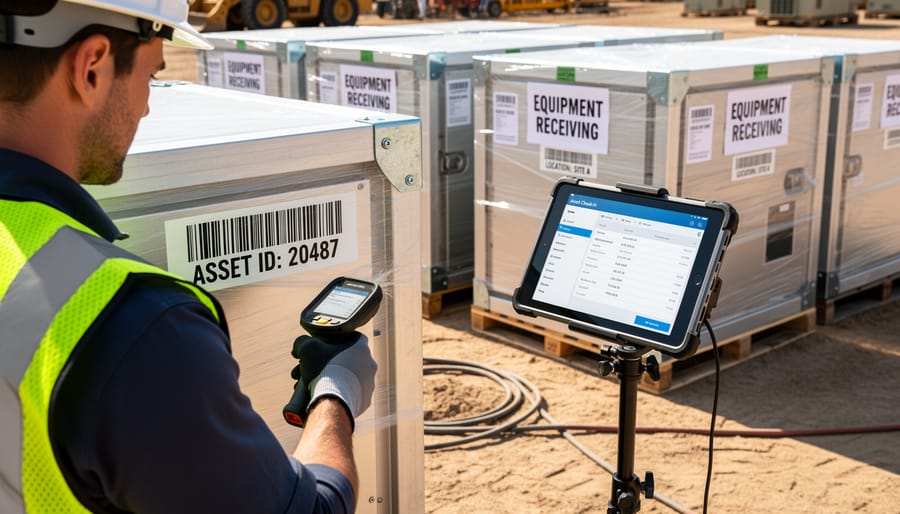
For solar contractors managing panels, inverters, mounting hardware, and tools across multiple job sites, this streamlined approach offers significant advantages. Implementation typically takes days or weeks rather than months. Your team scans equipment in and out using smartphone cameras or dedicated handheld scanners, and the system immediately updates asset location and status. Most platforms provide mobile apps that work offline at remote sites, syncing data when connectivity returns.
The core functionality centers on creating asset records with custom fields relevant to solar operations, serial numbers, wattage ratings, warranty expiration dates, and assigned project or vehicle. Barcode labels attach to each item, and scanning triggers automatic updates when equipment moves from warehouse to truck, truck to installation site, or back for maintenance. Some platforms include basic reporting on utilization rates, depreciation, and maintenance schedules.
These systems suit contractors who need reliable tracking without justifying full ERP investment. Companies with 10 to 100 employees often find standalone platforms hit the sweet spot: more robust than spreadsheets, less overwhelming than integrated business suites. When evaluating asset management alternatives consider whether your primary pain point is lost or misplaced equipment rather than broader operational integration. If tracking accuracy and speed matter most, dedicated platforms deliver focused value without requiring you to restructure your entire business software stack.
Integrated ERP and Project Management Systems
Integrated ERP and Project Management Systems
Enterprise resource planning platforms represent a comprehensive approach to asset management, embedding barcode scanning capabilities within broader business management infrastructure. These systems unify asset tracking with financial accounting, project scheduling, procurement workflows, and contractor management in a single database environment.
For larger solar developers managing multiple simultaneous installations, this integration eliminates the data silos that plague organizations using separate point solutions. When a field technician scans a barcode to check out an inverter for a specific project, the system simultaneously updates inventory counts, allocates costs to the correct job number, triggers reorder workflows if stock falls below thresholds, and records the asset assignment in project documentation. This automated cross-functional coordination reduces duplicate data entry and the reconciliation errors that occur when teams maintain separate spreadsheets or disconnected software.
The primary advantage surfaces in financial visibility. ERP systems automatically calculate the true cost of work in progress by tracking which assets are deployed to which projects, factoring in depreciation schedules, and reconciling physical inventory against purchase orders. Controllers gain real-time insight into equipment utilization rates across the entire fleet rather than discovering missing assets during quarterly audits.
Implementation complexity and cost represent the notable tradeoffs. These platforms typically require months of configuration, substantial upfront investment, and ongoing vendor support contracts. Companies with fewer than 50 employees or those operating in limited geographic regions often find the overhead outweighs the benefits. The sweet spot lies with regional and national solar developers juggling dozens of concurrent projects where unified operational data justifies the investment.
Field Service Management Solutions
Field service management (FSM) solutions bring barcode scanning directly to the crews installing panels, maintaining arrays, and servicing equipment in the field. These platforms center on coordinating mobile technicians, scheduling jobs, and documenting work completion, with asset tracking woven throughout the workflow rather than bolted on afterward.
When an installation crew arrives at a site, they scan equipment barcodes to confirm they’re deploying the correct panels and inverters for that specific project. The FSM system logs which assets left the warehouse, who transported them, and when they reached the job site. This chain of custody matters for warranty validation and prevents mix-ups between concurrent projects.
Maintenance operations gain precision through scan-verified service records. A technician scanning an inverter’s barcode pulls up its complete service history, warranty status, and manufacturer specifications before starting repairs. After completing work, they scan again to log parts replaced, labor hours, and any issues discovered. This creates an auditable maintenance trail tied to specific assets, not just generic service tickets.
For solar companies juggling multiple crews across dozens of active sites, FSM platforms with barcode capability streamline equipment allocation. Dispatchers see real-time inventory across all trucks and can redirect assets between jobs based on actual scanned confirmations rather than outdated spreadsheet estimates.
The trade-off: FSM solutions prioritize workforce coordination and job completion over deep inventory analytics. They excel at tracking what equipment each crew has and where it’s deployed, but offer less sophisticated reporting on inventory turnover, depreciation, or procurement planning compared to dedicated asset platforms or full ERP systems.
Industry-Specific Solar Asset Management Tools
Specialized solar asset management platforms distinguish themselves through features engineered specifically for photovoltaic equipment lifecycles and operational workflows. These systems move beyond generic inventory tracking to address the unique requirements of solar installations, from procurement through decommissioning.
Solar-specific platforms typically include native support for tracking panel-level data such as manufacturer specifications, efficiency ratings, degradation curves, and performance coefficients. This granular tracking connects directly to monitoring systems, correlating asset data with actual energy production metrics. When a specific panel or string underperforms, technicians can instantly access its procurement history, installation date, and warranty status through a single scan.
Warranty management represents a major differentiator. Solar equipment carries manufacturer warranties spanning 10 to 25 years, and tracking these across hundreds or thousands of panels becomes complex. Purpose-built software automates warranty expiration alerts, tracks claim submissions, and maintains required documentation like installation certificates and commissioning reports. This prevents revenue loss from missed warranty claims on defective equipment.
These platforms often integrate with solar-specific ecosystems including monitoring platforms like SolarEdge or Enphase, procurement systems for module suppliers, and interconnection documentation required by utilities. They understand solar project structures, tracking assets by array, string, and individual component rather than forcing solar operations into generic asset categories.
The trade-off involves higher specialized costs and potential vendor lock-in. Solar-focused platforms typically serve mid-to-large installation companies or developers managing substantial portfolios where solar-specific functionality justifies the investment over adapting general asset management tools.
Essential Features to Evaluate
Barcode Scanner Hardware Compatibility
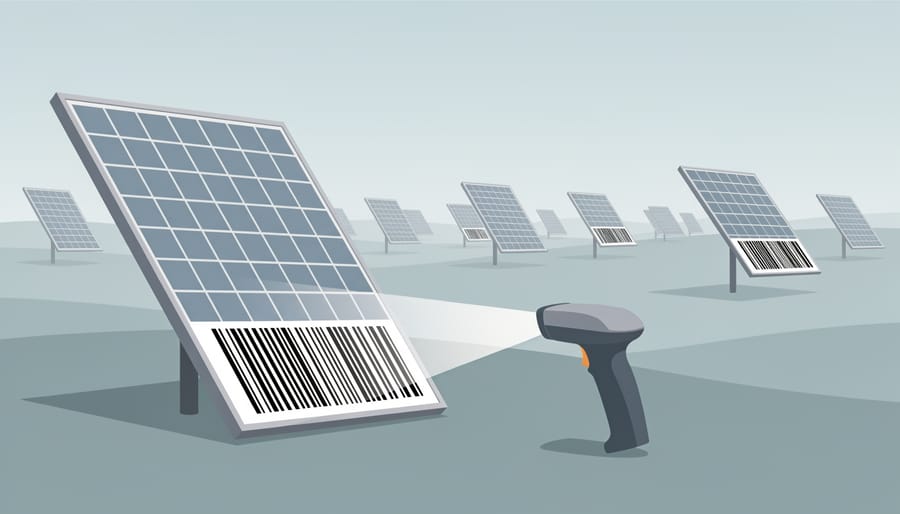
Solar asset management software must support multiple barcode scanner hardware options to accommodate different operational scenarios and budgets. The most flexible solutions work seamlessly with smartphone cameras, letting field crews use existing iPhones or Android devices without additional equipment purchases. This approach reduces upfront costs and simplifies deployment across your installation teams.
For high-volume scanning operations at warehouses or distribution centers, dedicated handheld barcode scanners deliver faster, more accurate reads than smartphone cameras. Look for software that supports Bluetooth-connected scanners from manufacturers like Socket Mobile, Honeywell, or Zebra. These devices scan barcodes reliably even in challenging lighting conditions common at solar job sites.
Rugged mobile devices become essential for crews working in harsh outdoor environments. Standard consumer smartphones often fail when exposed to dust, moisture, and temperature extremes during solar installations. Software should fully support industrial-grade devices from Panasonic Toughbook, Zebra TC series, or similar ruggedized tablets that withstand drops, weather, and extended sun exposure.
Barcode format compatibility matters equally. Your software must decode multiple symbologies without configuration headaches. Solar equipment arrives with various barcode types: QR codes on modern panels, Code 128 on inverters and mounting hardware, UPC codes on electrical components. Software that reads all common 1D and 2D barcode formats eliminates scanning failures and prevents workflow disruptions when your team encounters different manufacturer labeling standards.
Test scanner compatibility with your specific hardware before committing to any software platform, especially if you already own scanning equipment.
Mobile and Offline Capabilities
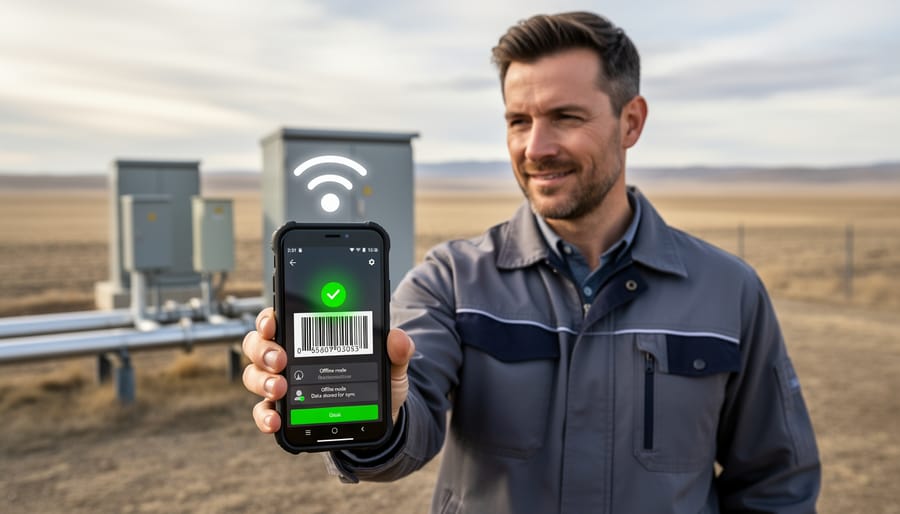
Solar installation sites often sit in areas with spotty or nonexistent cellular coverage, rural fields, rooftops behind signal-blocking structures, or industrial zones with interference. Your field crews can’t wait for a stable connection to scan equipment in and out. They need mobile apps that capture barcode data, record asset movements, and log condition notes even when completely offline.
Look for software with true offline mode, not just cached data that breaks when disconnected. The app should store all scanned information locally on the device, allowing technicians to continue tracking panels, inverters, and mounting hardware throughout their workday regardless of signal strength. This prevents workflow interruptions and eliminates the frustration of failed scans or lost entries.
Equally critical is robust synchronization once connectivity returns. The system should automatically push collected data to your central database when the device reconnects, updating inventory records, location assignments, and timestamps without manual intervention. Conflict resolution matters here: if two crew members scan the same asset at different sites while offline, the software needs clear rules to reconcile discrepancies rather than creating duplicate records or data corruption.
Battery efficiency deserves attention too. Offline-capable apps that constantly search for a signal drain phone batteries fast. Quality solutions manage power intelligently, preserving device charge for extended field shifts where recharging isn’t practical. Test the offline functionality during your vendor evaluation, take a device into airplane mode and verify that all essential scanning and data entry features remain fully operational.
Customization and Solar-Specific Data Fields
Generic asset management systems track basic inventory data, item name, quantity, location, but solar operations demand far more specificity. Your software must capture the technical attributes that matter for equipment performance, warranty claims, compliance documentation, and project delivery.
Start with panel-specific tracking. Each module needs fields for wattage rating, efficiency percentage, manufacturer model number, serial number, and production date. These details prove critical when filing warranty claims, troubleshooting underperforming arrays, or verifying you’ve received the correct specifications ordered for a project. As 2026 panel tech evolves with bifacial designs and tandem cell architectures, your system should accommodate new attribute types without requiring software overhauls.
Inverter tracking requires equally detailed fields: capacity (kW), input voltage ranges, MPPT channel counts, firmware versions, and string assignments. When an inverter fails on-site, your field crew needs instant access to exact specifications to order the correct replacement, not a generic “inverter” entry.
Project assignment functionality ties each asset to specific installations. You should link panels, inverters, racking components, and tools to project codes, addresses, and customer accounts. This connection enables accurate cost allocation, simplifies job site logistics, and prevents equipment from disappearing into undefined inventory.
Warranty management demands dedicated date fields for purchase dates, warranty start/end dates, and service history logs. When a panel underperforms three years post-installation, you need immediate proof of coverage eligibility.
The best systems let you create custom asset categories beyond standard equipment types. Maybe you need to track specialized monitoring equipment, safety gear with expiration dates, or proprietary mounting hardware. Rigid category structures force workarounds; flexible platforms adapt to your operational reality.
Selecting the Right Solution for Your Solar Business
Choosing the right asset management software requires matching the system’s capabilities to your company’s current operations and future expansion plans. Start by assessing your organization’s size and complexity: a small contractor managing 500 solar panels across three active projects has fundamentally different needs than a regional developer coordinating 10,000+ components across 30 installations and multiple warehouses.
Company size directly influences the scope and sophistication you need. Operations with fewer than five employees and limited inventory often find success with straightforward mobile-first solutions that prioritize barcode scanning and basic check-in/check-out workflows. Mid-sized contractors juggling multiple crews, warehouses, and concurrent projects typically need more robust platforms with role-based permissions, automated alerts, and detailed reporting. Large solar developers managing extensive fleets require enterprise-grade systems with API integrations, advanced analytics, and support for complex asset hierarchies.
Total cost of ownership extends well beyond the advertised subscription price. Factor in implementation costs, which can range from minimal self-service setup for simple platforms to $5,000-$25,000 for enterprise deployments requiring data migration, customization, and integration with existing accounting or project management systems. Include hardware expenses if you need dedicated barcode scanners rather than smartphone cameras, rugged mobile devices suitable for outdoor solar sites typically cost $300-$1,200 per unit. Don’t overlook ongoing training costs as you onboard new field technicians and the time investment for your team to maintain accurate asset records.
Implementation timeline varies considerably. Cloud-based systems with pre-built templates can be operational within 1-2 weeks, while customized solutions integrated with multiple business systems may require 2-3 months. Consider your urgency: companies facing immediate inventory control problems or preparing for rapid growth need faster deployment paths than those planning gradual rollouts.
Scalability deserves careful scrutiny. Your software should accommodate growth without requiring a complete system change. Evaluate whether the platform handles increasing asset counts without performance degradation, supports adding users and locations seamlessly, and offers tiered pricing that matches your expansion rather than forcing expensive jumps. This consideration of which path fits your trajectory prevents costly migrations later.
Vendor support quality separates frustrating experiences from smooth operations. Test responsiveness during the evaluation phase by asking technical questions and noting response times. Understand what support channels are available, phone, email, chat, and during what hours. Check whether training resources include video tutorials, documentation, and live webinars specifically covering solar industry workflows. Request references from solar contractors of similar size and ask about their implementation experience and ongoing support satisfaction.
Note: Conduct pilot testing with a subset of your solar equipment and field crews for 2-4 weeks before committing to full deployment, allowing you to identify workflow issues and training gaps in real-world conditions.
The evaluation process works best when you involve actual users, installation supervisors, warehouse managers, field technicians, rather than making decisions solely at the executive level. These team members will identify practical concerns about mobile app usability, barcode scanning reliability in outdoor conditions, and workflow friction that specifications alone won’t reveal. Request vendor demonstrations using your actual asset data and scenarios, not generic examples. Many major solar contractors conduct 30-day trials with 2-3 finalists before making a commitment, testing each system with real inventory movements and job site scenarios. This hands-on approach surfaces integration challenges, usability problems, and missing features before you’re locked into a contract.
Common Mistakes to Avoid When Implementing Barcode Asset Tracking
Solar contractors frequently derail otherwise sound asset management implementations through preventable mistakes that undermine system adoption and return on investment.
The most damaging error is underestimating the training requirement for field teams and office staff. Contractors often assume barcode scanning is intuitive, rushing through a single orientation session before expecting full compliance. In reality, workers need hands-on practice with the mobile interface, guidance on troubleshooting common scan failures, and clear explanations of why accurate asset tracking benefits their daily workflow. Schedule multiple training sessions across different shifts, provide quick-reference cards for field crews, and designate internal champions who can answer questions during the first month. Without this foundation, adoption stalls and teams revert to manual methods.
Integration planning represents another critical stumbling block. Many solar developers select asset management software without mapping how it will exchange data with their existing accounting systems, project management platforms, or procurement tools. This oversight creates information silos where asset data exists separately from financial records or job costing, requiring duplicate data entry and reconciliation. Before purchasing, document every system that needs asset information, confirm API availability or native integrations, and test data flow during the pilot phase. The best standalone tracking features lose value when data cannot reach the people who need it.
Choosing solutions without robust mobile and offline functionality cripples field operations. Solar installation sites frequently lack reliable cellular coverage, yet some contractors select cloud-dependent systems that freeze without connectivity. Field crews cannot track equipment check-outs, verify deliveries, or update asset status until they return to the office, defeating the purpose of mobile barcode scanning. Prioritize platforms with full offline capability that automatically sync when connection is restored, and test them at actual job sites before committing.
Failing to standardize barcode labeling procedures before software launch creates chaos that persists for years. Without clear guidelines on label placement (avoiding surfaces that face ground or weather), barcode format selection, and data encoding standards, assets end up with inconsistent or unreadable tags. Establish documented procedures covering label durability specifications for outdoor equipment, consistent placement locations for different asset types, and protocols for replacing damaged labels. Consider how smart tracking advances in 2026 may influence your labeling strategy for newer solar equipment.
Finally, overlooking scalability limits future growth. Contractors often select systems based solely on current inventory size, ignoring plans to expand service territories, add equipment categories, or increase project volume. Confirm that licensing models, database capacity, user limits, and feature sets accommodate realistic three-year growth projections, not just today’s needs.
Main Options Compared
Solar contractors and developers typically choose between four primary software categories, each with distinct trade-offs.
Standalone asset tracking platforms like Asset Panda or EZOfficeInventory offer the simplest entry point. They excel at barcode scanning and basic inventory management but lack accounting or project tools. Best for small to mid-size contractors focused purely on equipment visibility, with costs starting around $1,000 annually for 50-100 assets.
Integrated ERP systems such as Acumatica or NetSuite provide comprehensive business management with asset tracking as one module. They unify financial data, procurement, and inventory but require significant implementation investment ($10,000, $50,000+) and longer deployment timelines. Ideal for established solar developers managing multiple projects simultaneously.
Field service management solutions like Jobber or ServiceTitan emphasize mobile workforce coordination with equipment check-in/out features. They shine for installation teams needing real-time asset status but may lack deep inventory analytics. Mid-range pricing typically falls between $2,000, $8,000 yearly.
Solar-specific platforms such as Scoop Solar or Aurora include asset tracking tailored to panel specifications and warranty management. They understand solar terminology natively but may have smaller user communities for support.
Recommendations by Use Case
For solar contractors installing under 500kW annually with crews of five to ten, a standalone mobile-first platform like AssetPanda or itemit delivers the tracking essentials without overwhelming complexity. These systems offer affordable monthly subscriptions ($50-$150) and get teams scanning within days, making them ideal for achieving strong program fit without extensive IT resources.
Mid-sized developers managing multiple concurrent projects across 2-10MW annually should consider integrated solutions like Procore or Fieldwire that combine asset tracking with project management. The unified view of equipment assignments, job progress, and team coordination justifies the higher investment ($300-$800/month) by eliminating data silos between warehouse and field operations.
Large-scale operators and EPCs handling utility projects need enterprise platforms such as SAP Business One or Oracle NetSuite with robust barcode modules. These systems integrate procurement, maintenance scheduling, and financial tracking while supporting distributed teams. Regional players like Maryland solar installers expanding into new territories particularly benefit from the multi-site visibility and compliance reporting these comprehensive systems provide, despite implementation timelines of 3-6 months and costs exceeding $1,000 monthly.
Frequently Asked Questions
Solar contractors considering barcode asset management software typically have practical questions about implementation, costs, and integration with their existing operations. These common concerns often center on budget planning, technical compatibility, and the realistic timeline for seeing results. Understanding the answers helps solar businesses make confident decisions and set appropriate expectations for their teams.
What does asset management software with barcode scanning typically cost for a solar contractor?
Pricing varies widely based on feature set and company size, ranging from $30-50 per user monthly for basic cloud platforms to $150-300+ per user monthly for comprehensive systems with solar-specific modules. Most vendors offer tiered pricing with setup fees between $500-5,000 depending on data migration and customization needs.
Can we add barcodes to equipment we already own, or does it only work with new purchases?
You can barcode existing inventory by purchasing label stock compatible with your assets and environment, durable polyester or metal tags for outdoor equipment, standard adhesive labels for warehouse items. Most solar contractors label their current fleet during initial software rollout, assigning unique identifiers to panels, inverters, and tools already in circulation.
How long does it take for field crews to adopt barcode scanning in their daily workflow?
With proper training, most installation and warehouse teams achieve proficiency within one to two weeks of regular use. The learning curve is typically short since scanning is intuitive, but sustained adoption requires management reinforcement and demonstrating clear benefits like faster equipment location and reduced paperwork.
Will barcode asset management software integrate with our existing accounting or project management systems?
Most modern platforms offer integration capabilities through APIs or pre-built connectors for common solar industry software like QuickBooks, Procore, and Salesforce. Evaluate integration options during vendor demos to confirm compatibility with your specific systems and understand whether custom development might be required.
Beyond these fundamentals, solar businesses often question the return on investment timeline for barcode tracking systems. Most contractors report measurable benefits within three to six months, primarily through reduced time spent locating equipment, fewer replacement purchases for “lost” items, and faster inventory reconciliation. The financial return accelerates as your team refines processes and the system accumulates historical data that reveals usage patterns and maintenance needs.
Implementation complexity is another frequent concern. While enterprise systems can require months of configuration and data migration, many contractors find that cloud-based platforms designed for small to mid-sized operations can be operational within two to four weeks. The critical success factors are not technical, they are organizational: clearly defining your asset categories before setup, establishing consistent labeling standards across all locations, and ensuring field supervisors champion the new workflow during the transition period.
Hardware requirements deserve attention during planning. If your team already uses smartphones or rugged tablets on job sites, you can likely use camera-based scanning through the software’s mobile app without purchasing dedicated scanners. Contractors managing high-volume warehouse operations or preferring purpose-built devices typically invest in handheld barcode scanners ranging from $100 for basic models to $500-1,500 for ruggedized units that withstand outdoor solar installation environments. The choice depends on your operational volume and the conditions your equipment will face.
Choosing the right asset management software with barcode scanning capabilities represents a strategic investment that directly impacts your solar business’s operational efficiency and bottom line in 2026. The technology addresses fundamental challenges solar contractors and developers face daily: tracking expensive equipment across multiple sites, preventing loss, maintaining accurate warranty records, and enabling crews to work efficiently in the field.
The software you select becomes the backbone of your asset tracking operations. When implemented correctly, it eliminates the error-prone manual spreadsheets and paper logs that plague many solar operations, replacing them with real-time visibility into where every panel, inverter, and component sits at any given moment. This accuracy translates to fewer warranty claim rejections due to poor documentation, reduced equipment replacement costs from misplaced assets, and faster project completion when crews can immediately locate needed materials.
Your evaluation process should start with a clear-eyed assessment of your specific needs. Document your current pain points: Are field crews wasting hours searching for equipment? Do you struggle with inventory audits? Is integration with your existing project management or accounting system critical? These answers shape which solution type makes sense, whether that’s a standalone tracking platform, an integrated ERP module, or a solar-specific tool.
Request demonstrations from shortlisted vendors using scenarios from your actual operations. Watch how the mobile app performs offline, test barcode scanning with your typical equipment labels, and verify the reporting provides the metrics you need. Ask detailed questions about implementation timelines, training requirements, and ongoing support costs.
The right choice won’t be the system with the longest feature list. It will be the one that fits how your teams actually work, scales as your business grows, and delivers measurable ROI through reduced loss, faster audits, and improved operational control. Start your evaluation now by defining three to five must-have requirements based on this guide, then narrow your vendor list to solutions that meet those criteria without unnecessary complexity.